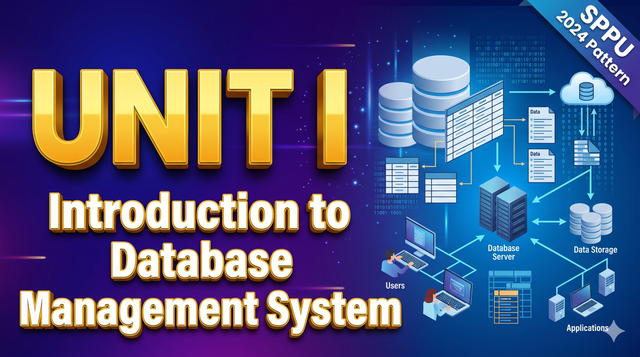
Unit 1 – Introduction to Database Management System
Complete Guide to Database Management Systems (DBMS) and ER Modeling
Introduction to Database Management Systems
A Database Management System (DBMS) is a collection of interrelated data and a set of programs used to access, update, and manage that data. The primary goal of a DBMS is to provide a way to store and retrieve database information that is both convenient and efficient.
In simpler terms, a database is a structured collection of data. For example, a university maintains a database containing information about students, professors, courses, and grades. The DBMS is the software (like MySQL, Oracle, or PostgreSQL) that allows users to interact with this data securely.
Hinglish Explanation: Database ek aisi jagah hai jahan hum data ko properly organize karke store karte hain taaki usko easily dhundha aur manage kiya ja sake. DBMS woh software hai jo humein is data ke saath kaam karne ki suvidha deta hai.
Purpose of Database Systems
Before the invention of DBMS, organizations used File Processing Systems (storing data in plain text or spreadsheet files) to keep records. The DBMS was designed to solve the major limitations of file systems:
Data Redundancy and Inconsistency: In a file system, the same data might be stored in multiple files, leading to duplication (redundancy). If a student changes their address, it might be updated in the library file but not in the academic file, causing inconsistency.
Difficulty in Accessing Data: File systems require writing new application programs for every new type of search or data retrieval.
Data Isolation: Since data is scattered in various files and formats, writing new application programs to retrieve the appropriate data is difficult.
Integrity Problems: Data must satisfy certain constraints (e.g., an account balance cannot be less than zero). Enforcing these rules across multiple files is highly complex.
Atomicity Problems: In computer systems, failures occur. If a fund transfer fails halfway, the system must revert to the original state. File systems cannot easily guarantee this atomic (all-or-nothing) execution.
Concurrent Access Anomalies: For the sake of overall performance, multiple users must be able to update data simultaneously. File systems cannot safely manage simultaneous updates.
Security Problems: Not every user should have access to all data. A DBMS provides strict authorization mechanisms.
Database-System Applications
DBMS is used in almost every industry today. Common applications include:
Banking: For customer information, accounts, and banking transactions.
Airlines: For reservation and schedule information.
Universities: For student information, course registrations, and grades.
Telecommunication: For keeping records of calls made, generating monthly bills, and managing communication networks.
E-commerce: For product catalogs, shopping carts, and order tracking.
Human Resources: For storing employee details, salaries, and tax deductions.
View of Data
A major purpose of a database system is to provide users with an abstract view of the data. This means the system hides complex details of how the data is actually stored and maintained.
Data Abstraction
To make the system usable, developers hide complexity at three different levels:
Physical Level: The lowest level of abstraction describes how the data is actually stored on the hard drive. It deals with complex low-level data structures and file organization.
Logical Level: The next level describes what data is stored in the database, and what relationships exist among that data. Programmers and database administrators work at this level.
View Level: The highest level of abstraction describes only part of the entire database. It simplifies interaction for users. For example, a clerk might only see a screen to enter student grades, completely unaware of the financial data stored in the same database.
Hinglish Explanation: Data abstraction ka matlab hai technical details ko chupana. Physical level batata hai data hard disk par 'kaise' save hai. Logical level batata hai 'kya' data save hai (jaise tables). View level sirf wahi dikhata hai jo ek specific user ke kaam ka hai.
Database Languages
A DBMS provides specific languages to define the database structure and to manipulate the data.
1. Data Definition Language (DDL)
DDL is used to specify the database schema (structure). It defines the tables, their attributes, and data types.
CREATE: To create a new table or database.
ALTER: To modify an existing table structure (e.g., adding a new column).
DROP: To delete a table permanently.
2. Data Manipulation Language (DML)
DML is used for managing data within the schema objects. It allows users to access and manipulate the data.
SELECT: To retrieve data from the database.
INSERT: To insert new data into a table.
UPDATE: To modify existing data.
DELETE: To remove data from a table.
3. Data Control Language (DCL)
DCL is used to control access to data stored in a database.
GRANT: Gives user access privileges to the database.
REVOKE: Withdraws user access privileges.
4. Transaction Control Language (TCL)
TCL deals with the transaction processing within the database.
COMMIT: Saves the work done permanently.
ROLLBACK: Restores the database to the last committed state if an error occurs.
Database System Structure
A database system is divided into modules that deal with specific responsibilities. The internal structure generally consists of two main components:
1. Query Processor
The query processor translates the user's queries into low-level instructions that the storage manager understands.
DDL Interpreter: Interprets DDL statements and records them in a set of tables containing metadata (data dictionary).
DML Compiler: Translates DML statements into an evaluation plan.
Query Evaluation Engine: Executes the low-level instructions generated by the DML compiler.
2. Storage Manager
The storage manager acts as an interface between the low-level data stored in the database and the application programs.
Buffer Manager: Responsible for fetching data from disk storage into main memory.
File Manager: Manages the allocation of space on disk storage.
Transaction Manager: Ensures that the database remains in a consistent state despite system failures.
Data Models and Enterprise Constraints
A data model is a collection of conceptual tools for describing data, data relationships, data semantics, and consistency constraints.
Common Data Models
Relational Model: Uses a collection of tables to represent both data and the relationships among those data. This is the most widely used model.
Entity-Relationship (ER) Model: Uses a collection of basic objects, called entities, and relationships among these objects.
Object-Oriented Model: Data is represented in the form of objects, similar to object-oriented programming.
Hierarchical Model: Data is organized in a tree-like structure with parent-child relationships.
Enterprise Constraints
Enterprise constraints (also known as business rules) are the specific rules that reflect the policies of the organization.
Example: A constraint stating that "A student cannot register for more than 5 courses per semester" or "An employee's salary cannot be negative."
The DBMS ensures that all data inserted or updated strictly follows these enterprise constraints.
Database Design and the ER Model
Designing a database involves several phases to ensure the final database meets the organization's requirements without redundancies.
The Design Process
Requirements Collection: Understanding what data needs to be stored by interviewing stakeholders.
Conceptual Design: Creating a high-level conceptual schema using the ER model.
Logical Design: Converting the ER model into a relational database schema (tables).
Physical Design: Deciding the physical layout, file structures, and indexing strategies.
Entity Relationship (ER) Model
The ER model is a high-level data model used to define the data elements and their relationships for a specific system. It is widely used for the conceptual design of a database.
1. Entity
An entity is a real-world object that is distinguishable from other objects.
Example: A student, a teacher, a car, or a bank account.
Entity Set: A collection of similar entities (e.g., all students in a university).
2. Attributes
Attributes are the properties or characteristics that describe an entity. For a "Student" entity, attributes could be Roll Number, Name, Age, and Address.
Simple Attribute: Cannot be divided further (e.g., Age).
Composite Attribute: Can be divided into sub-parts (e.g., Name can be divided into First Name, Middle Name, Last Name).
Single-valued Attribute: Holds a single value (e.g., Roll Number).
Multi-valued Attribute: Can hold multiple values (e.g., Phone Number, since a person can have multiple numbers).
Derived Attribute: Its value is calculated from another attribute (e.g., Age can be derived from Date of Birth).
Hinglish Explanation: Entity koi bhi real-world object hai jaise 'Student'. Attributes uski details hain jaise 'Naam', 'Roll Number'. Derived attribute ka matlab hai aisi detail jo kisi aur detail se calculate ki jaye, jaise Date of Birth se Age nikalna.
3. Relationships
A relationship is an association among two or more entities.
Example: A Student "Enrolls" in a Course. Here, "Enrolls" is the relationship.
Cardinality Ratios: Expresses the number of entities to which another entity can be associated via a relationship.
One-to-One (1:1): One entity in A is associated with at most one entity in B. (Example: One College has One Principal).
One-to-Many (1:N): One entity in A is associated with multiple entities in B. (Example: One Department has Many Professors).
Many-to-One (N:1): Multiple entities in A are associated with one entity in B. (Example: Many Students enroll in One Course).
Many-to-Many (M:N): Multiple entities in A are associated with multiple entities in B. (Example: Many Students enroll in Many Courses).
Constraints and Keys
Keys play a crucial role in relational databases. They are used to uniquely identify any record or row of data from the table and to establish relationships between tables.
Key Type | Definition | Example |
Super Key | A set of one or more attributes that can uniquely identify a row. | {Roll_No}, {Roll_No, Name}, {Aadhar_No} |
Candidate Key | A minimal Super Key. It has no unnecessary attributes. | {Roll_No}, {Aadhar_No} |
Primary Key | A Candidate Key chosen by the database designer to uniquely identify rows. | {Roll_No} |
Foreign Key | An attribute in one table that refers to the Primary Key of another table. | {Department_ID} in a Student table linking to the Department table. |
Hinglish Explanation: Primary key ek aisi unique id hai jo table mein har ek record ko alag se pehchanti hai (jaise Roll Number). Foreign key do tables ko aapas mein jodne (link karne) ke kaam aati hai.
ER Diagram Symbols and Design Issues
An ER Diagram is a visual representation of the ER Model. Standard symbols are used to draw these diagrams:
Rectangle: Represents an Entity Set.
Ellipse (Oval): Represents an Attribute.
Diamond: Represents a Relationship Set.
Lines: Link attributes to entities and entities to relationships.
Double Rectangle: Represents a Weak Entity (an entity that cannot be uniquely identified by its own attributes alone).
Double Ellipse: Represents a Multi-valued Attribute.
Dashed Ellipse: Represents a Derived Attribute.
Underlined text in Ellipse: Represents a Primary Key attribute.
Design Issues in ER Modeling
When designing an ER diagram, database designers must avoid common pitfalls:
Entity vs. Attribute: A common mistake is defining an object as an entity when it should be an attribute. If an object only has one piece of information, it should be an attribute. If it has multiple properties, it must be an entity.
Entity vs. Relationship: Deciding whether a concept is best expressed as an entity or a relationship. For example, is "Marriage" a relationship between two people, or an entity with its own attributes (Date, Location)? Usually, if it has its own attributes, it is modeled as an entity.
Redundancy: Storing the same information multiple times should be strictly avoided as it leads to data inconsistency and wastes storage space.
Extended E-R Features
To model more complex applications, the basic ER model is extended with additional concepts known as Enhanced Entity-Relationship (EER) features.
1. Specialization
Specialization is a top-down approach where a higher-level entity is broken down into two or lower-level entities. It highlights the differences between entities.
Example: A generic entity Person can be specialized into Employee and Customer. An Employee can further be specialized into Manager and Clerk.
2. Generalization
Generalization is a bottom-up approach. It combines two or more lower-level entities into a single higher-level entity by finding common attributes.
Example: Car and Truck entities have common attributes like Engine Number, Color, and Price. They can be generalized into a higher-level entity called Vehicle.
3. Aggregation
Aggregation is a process in which a relationship between two entities is treated as a single entity. This is used when relationships themselves participate in other relationships.
Example: A Center offers a Course. An Employee inquires about the Course offered by the Center. Instead of creating complex multi-way relationships, the relationship Center-Offers-Course is abstracted into a single entity, and the Employee relationship is linked to this new combined entity.
Hinglish Explanation: Specialization mein hum ek badi category ko choti categories mein divide karte hain (Top-down). Generalization mein hum choti categories ko mila kar ek badi category banate hain (Bottom-up).
Converting E-R and EER Diagrams into Tables
Once the ER diagram is finalized, it must be converted into a relational schema (database tables) so it can be implemented in a DBMS.
Important Conversion Rules
Rule 1: Converting a Strong Entity
Create a new table for the strong entity. The simple attributes of the entity become the columns of the table. The primary key of the entity becomes the primary key of the table.
Example: Entity Student(Roll_No, Name, Age) becomes Table Student with columns Roll_No (Primary Key), Name, and Age.
Rule 2: Converting a Composite Attribute
For composite attributes, ignore the main attribute and create separate columns for its sub-parts.
Example: If Name is composed of First_Name and Last_Name, the table columns will be First_Name and Last_Name.
Rule 3: Converting a Multi-valued Attribute
A multi-valued attribute requires a completely separate table. This new table will contain two columns: the multi-valued attribute itself and the primary key of the main entity.
Example: For a student with multiple phone numbers, create a new table Student_Phone(Roll_No, Phone_Number). Both columns combined form the primary key of this new table.
Rule 4: Converting a 1:N (One-to-Many) Relationship
Do not create a separate table for the relationship. Instead, take the primary key from the "One" side table and add it as a Foreign Key in the "Many" side table.
Example: Department (1) and Professor (N). Add Department_ID as a foreign key inside the Professor table.
Rule 5: Converting an M:N (Many-to-Many) Relationship
You must create a new separate table for an M:N relationship. The columns of this new table will be the primary keys of both participating entities (acting as foreign keys), plus any attributes of the relationship itself.
Example: Student (M) and Course (N). Create a table Student_Course(Roll_No, Course_ID).
Rule 6: Converting a Weak Entity
Create a new table for the weak entity. Include all its attributes. Add the primary key of the strong entity on which it depends as a foreign key. The primary key of this new table is the combination of the foreign key and the partial key of the weak entity.
Key Takeaways
DBMS vs File System: A DBMS eliminates redundancy, ensures data integrity, provides robust security, and supports concurrent access, making it far superior to traditional file systems.
Data Abstraction: Exists in three levels (Physical, Logical, View) to hide system complexity from end-users.
ER Modeling: The foundation of database design. It visually maps out real-world requirements using Entities, Attributes, and Relationships.
Keys: Essential for identifying records uniquely and linking tables. A Primary Key ensures uniqueness, while a Foreign Key establishes relationships.
Conversion: Converting an ER diagram into a relational table follows strict mathematical rules depending on cardinality (1:1, 1:N, M:N) and attribute types.
SEO Keywords Section
Search keywords related to this topic:
Database Management System basics, Introduction to DBMS, Purpose of Database Systems, DBMS vs File System, Database architecture view of data, DBMS Languages DDL DML DCL TCL, Database system structure, Enterprise constraints in DBMS, DBMS Data Models, ER Model in DBMS, Entity attributes relationships, Types of keys in DBMS Primary Foreign Candidate Super key, ER Diagram symbols and design issues, Extended ER features Specialization Generalization Aggregation, Converting ER diagram to tables, EER to Relational schema conversion, Computer Engineering DBMS notes, SPPU 2024 Pattern DBMS syllabus, DBMS complete tutorial for beginners, Diploma computer engineering database notes, engineering database design process.
Download PDF Notes & Get Updates
Join our WhatsApp channel for free PDF downloads and instant notifications when new notes drop.
Advertisement
Comments (0)
Sign in to join the discussion